PNB Balance Check Number: Complete Guide 2026
Punjab National Bank customers can check their account balance through missed call banking, WhatsApp Banking, SMS, mobile banking, internet banking, and ATMs. This guide explains the PNB balance check number, toll-free enquiry services, and all the convenient ways to access your account balance and mini statement anytime.

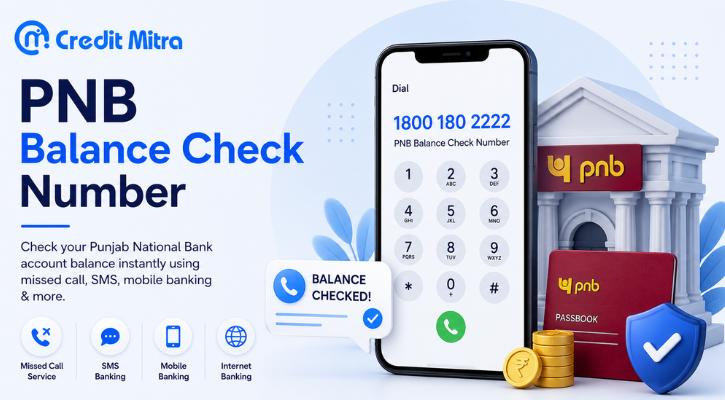
You must know your Punjab national bank account amount, at this moment, without going to the bank. Whether you are on a feature phone that doesn't have internet facilities or a smartphone that has all the apps, PNB has a solution for you.
This guide has all the PNB balance check numbers, all the ways, the precise steps and the little tidbits that most guides miss out on, such as the 45-minute rule and SMS charges.
PNB Balance Check Numbers, Quick Reference
Before the step-by-step explanations, here are all the numbers you need in one place:
Important: All missed calls, SMS, and WhatsApp services work only from your registered mobile number, the number linked to your PNB account.
Method 1: PNB Missed Call Balance Check Number
Checking your balance is quickest with the missed call service. There is no need to use the internet or data. Use your registered phone number which is associated with your PNB account.
Toll-free number: 1800 180 2223
Steps:
Unlock your phone dialer.
Call 1800 180 2223 using your registered mobiles.
It will ring for 2–3 times, after which the call disconnects automatically (without the need to hang up).
Wait 5–10 seconds
Get your account balance via SMS
That's it. No buttons to press, no menu to navigate and no internet required. Supports both feature phones and smart phones.
Another missed call number: 0120-2303090 is also available as a missed call, in addition to the toll-free number. Using this number will incur regular calling fees.
Mini-Statement via Missed Call
Call 1800 180 2223 and follow IVR instructions to get a mini statement that displays the last 5 transactions made through missed call.
The 45-Minute Rule
You may make as many enquiries as you like. But a minimum of 45 minutes should be there between two successive enquiries from the same registered mobile number. You will not get any new SMS if you call within 45 minutes of your last enquiry.
Read More: Check SBI Balance in 30 Seconds
Method 2: PNB SMS Balance Check (Works Without Internet)
PNB SMS banking service gives users the ability to check their account balance even without an internet connection and hence becomes one of the best methods of balance checking.
SMS Number: 5607040
Balance Check through SMS:
Go to your message application
Type: BAL (space) Your 16-digit account number
Example: BAL 015300XXXXXXXXXX
Send the SMS to 5607040
Balance SMS received in 30 seconds
Mini-Statement through SMS:
Type: MINSTMT (space) Your 16-digit account number
Example: MINSTMT 015300XXXXXXXXXX
Send to 5607040
Last 5 transactions received in SMS
Email Statement Registration through SMS:
Type: ESTMT (space) Last 4 digits of Account (space) Your Email ID
Send to 5607040 or 9264092640
SMS Banking Charges
What many guides fail to mention is that charges on SMS banking in PNB are paid every three months. In the case of a savings bank account, it is ₹15 every three months, and in other accounts, it is ₹25 every three months.
For complete free balance check service, use missed call service (1800 180 2223) or WhatsApp banking (9264092640).
Method 3: PNB WhatsApp Balance Check Number (Free, 24×7)
The Punjab National Bank provides another facility called PNB balance check number on WhatsApp for their customers where they can check their latest bank balance online.
WhatsApp Number: 9264092640
Procedure:
Save 9264092640 in your contact list (with name “PNB WhatsApp Banking”)
Launch WhatsApp and initiate a new chat through this number
Send “Hi” from your registered mobile number
Menu appears in front of you, select “Account Related Services”
Select “Balance Enquiry”
Instantly your balance would appear in your chat
Here it should be noted that using this facility does not charge you anything. The service operates 24×7 including weekends and public holidays.
The Punjab National Bank also attends to its customers on WhatsApp, offering them both informational and non-financial services. You can use this service 24×7 for getting account balance.
In case you have several bank accounts linked to your mobile number, all the account numbers would appear in front of you and you can simply choose any one of them.
Read More: Check Union Bank Balance in 30 Seconds
Method 4: PNB ONE App (Most Detailed Information)
The PNB ONE app is PNB's official mobile banking application and gives the most comprehensive account information of any method.
How to Download and Set Up:
Download PNB ONE from Google Play Store (Android) or Apple App Store (iOS)
Open the app and tap "New User Registration"
Enter your registered mobile number and account number
Verify with the OTP sent to your registered mobile
Set your MPIN (4–6 digit PIN)
Log in with your mobile number and MPIN
Checking Balance on PNB ONE:
Open PNB ONE and log in
Your account summary with current balance appears on the home screen
Tap on the account for detailed transaction history
What You Can Do on PNB ONE:
Check current balance (real-time)
View last 10 transactions
Download account statement (any date range)
Transfer funds (NEFT, RTGS, IMPS, UPI)
Pay bills and recharge
Apply for loans and fixed deposits
Update personal details
Report lost debit card
Requires: Internet connection + mobile number registered with PNB
Method 5: IVR Customer Care (Best for Guided Assistance)
If you prefer voice guidance rather than codes and keywords, PNB's IVR service walks you through the process.
Toll-free IVR numbers:
1800 180 2222
1800 103 2222
Steps:
Call either number from your registered mobile
Select your preferred language
Listen to the menu and press the number for "Balance Enquiry"
Your balance is announced via automated voice
Option to hear it again or proceed to other services
The toll-free PNB balance check number is 0120-2303090. Call it from your registered mobile number to get your account balance via IVR.
This method takes 1–2 minutes but requires no internet and no typing, ideal for users who find code-based methods confusing.
Method 6: PNB Net Banking (Most Comprehensive)
PNB's internet banking portal (netpnb.com) gives you the most detailed account information, including full statement downloads.
Steps:
Visit netpnb.com on any browser
Log in with your User ID and Password (set up at branch or via PNB ONE)
Navigate to "Accounts" → "Account Summary"
Your balance and recent transactions appear
What Net Banking Provides:
Real-time balance across all linked accounts
Transaction history (any date range)
Downloadable PDF/Excel statements
Fund transfers (NEFT, RTGS)
Tax certificates and Form 26AS
Fixed deposit and loan details
Requires: Internet connection + net banking credentials (set up in advance)
Method 7: ATM Balance Enquiry (No Mobile Number Needed)
This is the only method that does not require a registered mobile number.
Steps:
Insert your PNB debit card into any PNB ATM (or any bank's ATM)
Enter your 4-digit ATM PIN
Select "Balance Enquiry" from the menu
Your balance displays on screen (and prints on slip if you choose)
Note: Balance enquiry at your own bank's ATM is free. At other banks' ATMs, you get 3–5 free transactions per month (varies by account type), after which ₹8–₹20 per inquiry may be charged.
What If My Mobile Number Is Not Registered with PNB?
Missed call, SMS, and WhatsApp methods all require a registered mobile number. If yours isn't linked, here's how to fix it:
Option 1: Visit Your PNB Branch
Go to your home branch with:
Original Aadhaar card (or PAN + address proof)
Passbook or account number
Fill out the "Mobile Number Registration / Updation" form
Submit at the counter
Registration activates within 1–2 working days
Option 2: PNB ATM (for some services)
Some PNB ATMs allow mobile number registration directly:
Insert debit card and enter PIN
Select "Services" → "Mobile Number Registration"
Enter your mobile number and confirm
Activation within 24 hours
Option 3: PNB ONE App Self-Registration
If you have your account number and debit card details, you can sometimes complete a mobile number linking through the PNB ONE app itself during the registration process.
Until your mobile number is registered, the ATM method is your only option for self-service balance enquiry.
Checking Mini-Statement and Last 5 Transactions, All Methods
Troubleshooting: Common PNB Balance Check Problems
"I called but didn't receive an SMS" → Check if your mobile number is registered with PNB. If not, no SMS will be sent. → Check if 45 minutes have passed since your last inquiry. → Check your SMS inbox, sometimes it arrives in the promotional or spam folder.
"The WhatsApp number isn't responding" → Confirm you saved the number correctly: 9264092640 → Ensure you're sending from your registered mobile number → Try sending "Hi" again, sometimes a delay occurs on first message
"The SMS banking format isn't working" → Ensure the format is exactly: BAL (single space) 16-digit account number → No commas, dashes, or extra spaces in the account number → Send from your registered mobile only
"I don't remember my 16-digit account number for SMS" → Check your passbook (printed on first page) or any old account statement → Log into PNB ONE app, account number is displayed on home screen → Use missed call or WhatsApp method instead (no account number needed)
"PNB ONE app login isn't working" → Ensure your registered mobile number is the one you're using the app on → Try "Forgot MPIN" to reset credentials → Uninstall and reinstall if app is crashing
FAQ: PNB Balance Check
Q: What is the PNB balance check toll-free number?
The PNB balance check toll-free number is 1800 180 2223. Make a missed call from your registered mobile, the call gets disconnected automatically and you will get your balance in an SMS within a few seconds. Entirely free, 24×7 facility and no internet required.
Q: Can I check PNB balance without the internet?
Yes, there are three ways of checking balance without the Internet: (1) Missed call to 1800 180 2223, (2) SMS sending BAL + 16-digit account number to 5607040, and (3) ATM balance enquiry through your debit card. Missed calls are the fastest.
Q: How many times can I check PNB balance through missed calls?
There is no limitation for the number of times the PNB balance check number can be used. There has to be a minimum of 45-minute gap between two consecutive queries from the same registered mobile number.
Q: Is PNB SMS banking free?
No. Charges for SMS banking in PNB are collected quarterly, ₹15 per quarter for saving accounts and ₹25 per quarter for other accounts. For free balance checks, you can use the missed call service (1800 180 2223) or WhatsApp (9264092640).
Q: What is the PNB WhatsApp balance check number?
The PNB WhatsApp banking number is 9264092640. Store the number in your contacts and send 'Hi' on WhatsApp from your registered mobile number to initiate the process. Select Account Related Services → Balance Enquiry. Entirely free and available 24×7.
Q: Can I check PNB balance of two accounts on the same mobile number?
PNB does not put any restrictions on the number of accounts that can be registered with a single mobile number. You can easily get an SMS update for both accounts on the same number. While using WhatsApp banking, all linked accounts are shown up, choose your account for query.
The Bottom Line
The fastest method: Missed call to 1800 180 2223, free, instant, works on any phone, no internet needed.
The most detailed method: PNB ONE app, real-time balance, full transaction history, fund transfers, all in one place.
If you can't use either: WhatsApp 9264092640 is free and works 24×7 on any smartphone.
Save these numbers now so you're never caught guessing your balance when it matters most:
Missed call: 1800 180 2223
SMS: 5607040
WhatsApp: 9264092640
IVR: 1800 180 2222
Keeping a regular eye on your balance is the first step toward smarter financial management. If you find your balance running low more often than you'd like, CreditMitra can help you explore personal loans, credit options, and financial planning tools, all in one place, with instant eligibility checks and no impact on your CIBIL score.
About the Author

Divya Kumari
SEO Strategist & Finance WriterDivya Kumari is an SEO & Content Strategist with experience in organic traffic growth, topical authority building, and content-led SEO strategies. She specializes in creating user-focused content for finance and SaaS websites, helping brands improve visibility through structured content planning, internal linking, and search optimization techniques.
Borrow. Protect. Grow.
All in one app.
- Compare loan offers
- Buy insurance in minutes
- Invest in mutual funds
- Check credit score free
- Track all your applications


Explore More Articles
7 Days Loan App: Real Cost, Risks and Safer Options

What to Do When Your Travel Budget Falls Short
On this page
- PNB Balance Check Numbers, Quick Reference
- Method 1: PNB Missed Call Balance Check Number
- Method 2: PNB SMS Balance Check (Works Without Internet)
- Method 3: PNB WhatsApp Balance Check Number (Free, 24×7)
- Method 4: PNB ONE App (Most Detailed Information)
- Method 5: IVR Customer Care (Best for Guided Assistance)
- Method 6: PNB Net Banking (Most Comprehensive)
- Method 7: ATM Balance Enquiry (No Mobile Number Needed)
- What If My Mobile Number Is Not Registered with PNB?
- Checking Mini-Statement and Last 5 Transactions, All Methods
- Troubleshooting: Common PNB Balance Check Problems
- FAQ: PNB Balance Check
- The Bottom Line
About the Author
Divya Kumari
SEO Strategist & Finance WriterDivya Kumari is an SEO & Content Strategist with experience in organic traffic growth, topical authority building, and content-led SEO strategies. She specializes in creating user-focused content for finance and SaaS websites, helping brands improve visibility through structured content planning, internal linking, and search optimization techniques.
Borrow. Protect. Grow.
All in one app.
- Compare loan offers
- Buy insurance in minutes
- Invest in mutual funds
- Check credit score free
- Track all your applications