How to Check Loan Application Status: Complete Guide 2026
Tracking your loan application helps you stay updated on approval progress and any additional requirements from the lender. This guide explains how to check your loan application status online for HDFC, Bajaj Finserv, and other financial institutions using official websites, mobile apps, customer care, and reference numbers.

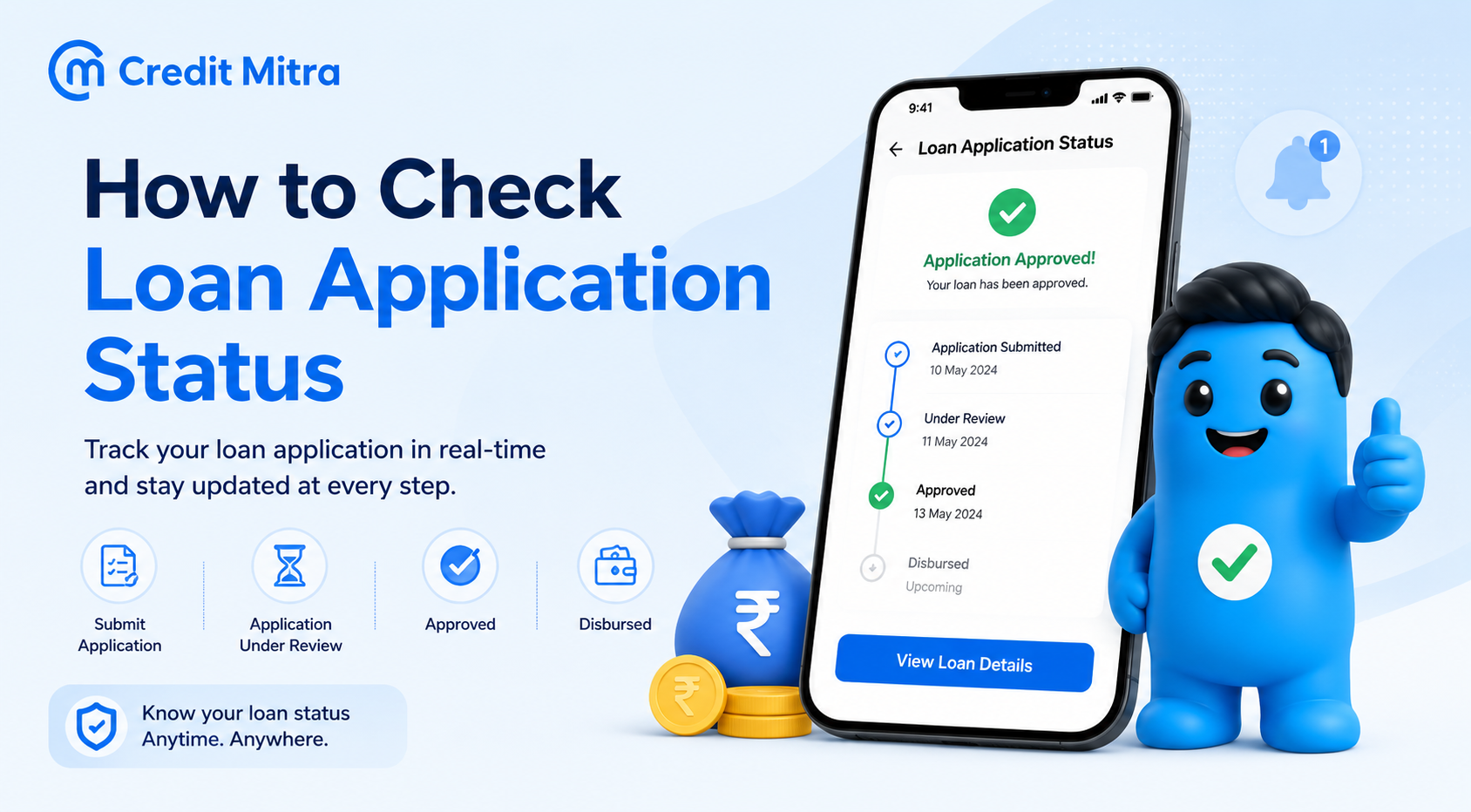
You applied for a personal loan 3 days ago. You’re anxiously waiting for approval.
You check your phone constantly for updates. Nothing.
You don’t know if the bank is reviewing your documents, waiting for additional paperwork, or has already approved you.
You wish there was a simple way to check status online instead of calling customer care.
Here’s the complete guide to checking loan application status with every major lender, step-by-step methods for HDFC, Bajaj, and how to interpret status messages.
How to Check HDFC Loan Application Status
HDFC Bank offers multiple ways to track your personal loan status online and offline.
Method 1: HDFC Website (Fastest)
Step-by-Step:
- Go to www.hdfc.bank.in
- Click on “Borrow” → “Personal Loan”
- Scroll to “Manage Your Loan” section
- Click “Track Your Application”
- Enter either:
- Option A: Applicant name + Reference/Proposal number + Date of birth
- Option B: Mobile number registered with HDFC
- Enter Captcha code
- Click “Submit”
- Your loan status appears instantly
Time: 2-3 minutes Information needed: Reference number (sent via SMS) OR mobile number Result: Real-time application status
Method 2: HDFC Loan Assist App
Download and Steps:
- Download “Loan Assist – HDFC Bank Loans” from Play Store/App Store
- Register with mobile number linked to HDFC
- Receive OTP via SMS, enter it
- Create 6-digit app password
- Log in → View application status instantly
- See EMI, disbursement timeline, document status
Advantage: Shows detailed timeline, EMI calculator, document checklist Time: 2-3 minutes after downloading
Method 3: HDFC Net Banking
If you already have HDFC net banking:
- Log into www.hdfc.bank.in with your customer ID
- Click “Loans” section
- Find “Track Application Status”
- View real-time status without entering reference number again
Advantage: Fastest if already logged in Time: 30 seconds
Method 4: HDFC Customer Care (Offline)
Toll-free numbers:
- 1800 1600
- 1800 2600
- 1860 2600
Process:
- Call from your registered mobile number
- Provide loan reference number
- Customer care representative checks and provides status
- Available: 8 AM to 8 PM daily (including Sundays/holidays)
Advantage: Get clarification on status directly Time: 5-10 minutes
Method 5: Visit HDFC Branch
- Go to nearest HDFC Bank branch with ID proof
- Provide reference number to branch manager
- Get written status confirmation
How to Check Bajaj Finserv Loan Application Status
Bajaj Finserv also offers multiple tracking methods.
Method 1: Bajaj Website
Step-by-Step:
- Go to www.bajajfinserv.in
- Click on “Track Application”
- Enter:
- Application ID/Reference number, OR
- Mobile number registered with Bajaj
- Enter OTP received on phone
- Click “Submit”
- Status displays instantly (Under Review, Documents Pending, Approved, Disbursed, etc.)
Time: 2-3 minutes Information needed: Reference number OR mobile number
Method 2: Bajaj Finserv Experia App
Steps:
- Download “Experia” app from Play Store/App Store
- Log in with credentials (email/mobile/customer ID + password)
- Select “Personal Loan” section
- View application status, documents needed, approval timeline
- Chat with support team directly from app
Advantage: Most detailed updates, instant document upload capability Time: 2-3 minutes
Method 3: Net Banking (Bajaj Customer Portal)
If you’re a Bajaj customer:
- Visit www.bajajfinserv.in
- Click “My Account” → “Customer Portal”
- Log in with email/mobile/customer ID + OTP/password
- View loan status, pending documents, EMI details
Advantage: See complete loan lifecycle details Time: 2-3 minutes
Method 4: Bajaj Customer Care (Offline)
Phone: 08698010101 (toll-free) SMS: Send “HELP” to +91-9227564444 from registered mobile
Process:
- Call and provide reference number
- Customer care team checks and informs status
- Ask about pending documents or next steps
Advantage: Get direct explanation if application is pending Time: 5 minutes
Method 5: SMS Status Check
Send SMS:
- Text “HELP”
- Send to +91-9227564444
- From registered mobile number
- Get status via reply SMS
Advantage: No phone call needed, works anytime Time: 1-2 minutes for reply
Method 6: Bajaj Branch Visit
- Visit nearest Bajaj Finserv branch
- Provide reference number and ID proof
- Get instant status and next steps
Read More: Processing Fee for Personal Loan 2026
Understanding Loan Application Status Messages
When you check status, you’ll see one of these:
Application Received / Under Review
- Meaning: Bank received application, verifying documents
- Timeline: 1-3 days
- Action: Wait, bank will contact if documents needed
- What to do: Check back in 2 days
Documents Pending / Additional Documents Required
- Meaning: Bank needs more documentation
- Timeline: Usually emailed or SMS-notified with document list
- Action: Upload/submit requested documents immediately
- What to do: Check email/SMS for list, submit within 24 hours
Verification in Progress
- Meaning: Bank verifying income, employment, credit worthiness
- Timeline: 2-5 days
- Action: Wait for completion
- What to do: Make sure all phone numbers are reachable
Approved
- Meaning: Loan sanctioned, money will be disbursed
- Timeline: Disbursal within 24-48 hours
- Action: Check bank account, money will appear
- What to do: Prepare to receive funds
Disbursed
- Meaning: Money transferred to your account
- Timeline: Check account immediately
- Action: Verify amount received, check EMI schedule
- What to do: Plan first EMI payment
Rejected
- Meaning: Application not approved
- Reason: Usually due to low CIBIL, insufficient income, or documents
- Action: Contact customer care for reason
- What to do: Wait 30 days, reapply with stronger profile OR apply to fintech lenders
On Hold / Awaiting Final Verification
- Meaning: Application progressing but needs clarification
- Timeline: 3-7 days
- Action: Bank may call for verification questions
- What to do: Answer all bank calls, respond immediately
Typical Loan Approval Timeline
| Milestone | Typical Timeline |
| Application submitted | Day 0 |
| Documents reviewed | Day 1-2 |
| Income/employment verified | Day 2-3 |
| Credit check completed | Day 2-4 |
| Approval decision | Day 3-5 |
| Funds disbursed | Day 4-7 |
HDFC: 3-7 days (faster with net banking) Bajaj: 24 hours to 5 days (often faster) Fintech: 2-4 hours (fastest)
Read More: How to Get a Personal Loan Approved Fast in India
What to Do If Your Application Status Is Stuck
Stuck for >5 days with no update:
Step 1: Check online status → See if “Documents Pending” is shown
Step 2: Check email + SMS → Look for document request from bank
And, Step 3: Contact customer care
- HDFC: 1800 1600
- Bajaj: 08698010101
- Ask specifically: “What’s pending and what do I do?”
Step 4: Upload missing documents
- Most banks allow document upload through website/app
- Upload immediately when notified
- Upload both original + scanned copy if requested
And, Step 5: If still stuck >7 days
- Request to speak with manager/supervisor
- Email complaint to customer care (formal record)
- Provide reference number in all communications
Step 6: Consider alternatives
- If stuck with traditional bank >10 days, apply to fintech (approval in 2-4 hours)
- Use CreditMitra soft inquiry to compare options without CIBIL damage
- Fintech lenders (Moneyview, KreditBee) approve faster
FAQ: Checking Loan Application Status
Q: How soon can I check status after applying?
A: Usually after 2-4 hours. The bank takes time to register applications in the system. Check after 4 hours if not showing immediately.
Q: What information do I need to check status?
A: Either reference number (sent via SMS) OR registered mobile number. Keep reference numbers in a safe place.
Q: Can checking status damage my CIBIL score?
A: No. Checking your own status is not reported to CIBIL. Only a bank’s status check (hard inquiry) impacts the score.
Q: Why is my status showing “Under Review” for 5 days?
A: The bank is verifying documents, income, and credit history. This is normal. Most take 3-5 days. Contact if >7 days.
Q: Documents showing “Pending” but I uploaded them. What’s wrong?
A: Takes 24 hours for the system to reflect uploaded documents. Wait 24 hours and refresh, or contact the bank.
Q: Can I apply to multiple banks while checking status?
A: Not recommended. Multiple hard inquiries damage CIBIL 50-100 points. Use soft inquiry tools like CreditMitra to compare without damage.
Smart Strategy: Checking Status Without Damaging CIBIL
Instead of applying to 3 banks:
- Apply to one bank (HDFC)
- Check status daily for 5 days
- If rejected, don’t immediately apply to others
- Use CreditMitra’s soft inquiry to see which lenders accept your profile
- Then apply to one fintech lender (approval faster anyway)
This prevents: Multiple hard inquiries = CIBIL damage
CreditMitra’s Advantage in Loan Applications
Once you know your status with one lender:
- If HDFC taking >7 days: Use CreditMitra to see faster fintech options
- If rejected by HDFC: CreditMitra shows which lenders accept your CIBIL + income
- Soft inquiry = zero CIBIL damage (vs hard inquiry = -5 to -10 points each)
CreditMitra lets you check status-equivalent information (approval odds) across 30+ lenders without hurting your score.
Conclusion: Stay Informed, Avoid Delays
Your action plan:
- Immediately after applying: Save reference number
- After 4 hours: Check status online
- Daily: Check if “Documents Pending” appears
- If documents needed: Submit within 24 hours
- If no update after 5 days: Call customer care
- If stuck after 7 days: Use CreditMitra to explore faster alternatives
Loan approval is usually fast (3-5 days). Don’t stress unnecessarily. But also don’t wait passively. Check status daily, respond to document requests immediately, and follow up if stuck >7 days.
Your diligence in tracking status often translates to faster disbursement.
About the Author

Divya Kumari
SEO Strategist & Finance WriterDivya Kumari is an SEO & Content Strategist with experience in organic traffic growth, topical authority building, and content-led SEO strategies. She specializes in creating user-focused content for finance and SaaS websites, helping brands improve visibility through structured content planning, internal linking, and search optimization techniques.
Borrow. Protect. Grow.
All in one app.
- Compare loan offers
- Buy insurance in minutes
- Invest in mutual funds
- Check credit score free
- Track all your applications


Explore More Articles

What to Do When Your Travel Budget Falls Short

How to Finance Your Dream Vacation Responsibly
On this page
- How to Check HDFC Loan Application Status
- How to Check Bajaj Finserv Loan Application Status
- Understanding Loan Application Status Messages
- Typical Loan Approval Timeline
- What to Do If Your Application Status Is Stuck
- FAQ: Checking Loan Application Status
- Smart Strategy: Checking Status Without Damaging CIBIL
- CreditMitra’s Advantage in Loan Applications
- Conclusion: Stay Informed, Avoid Delays
About the Author
Divya Kumari
SEO Strategist & Finance WriterDivya Kumari is an SEO & Content Strategist with experience in organic traffic growth, topical authority building, and content-led SEO strategies. She specializes in creating user-focused content for finance and SaaS websites, helping brands improve visibility through structured content planning, internal linking, and search optimization techniques.
Borrow. Protect. Grow.
All in one app.
- Compare loan offers
- Buy insurance in minutes
- Invest in mutual funds
- Check credit score free
- Track all your applications