How to Download Free CIBIL Report: Complete Guide
The consumer in India can now obtain a free cibil report via online platform. How many downloads you can do would vary from platform to platform. Some platforms would allow only one free download while others can allow multiple free downloads. When you are downloading your own report , it triggers a soft inquiry which won’t impact your credit score.

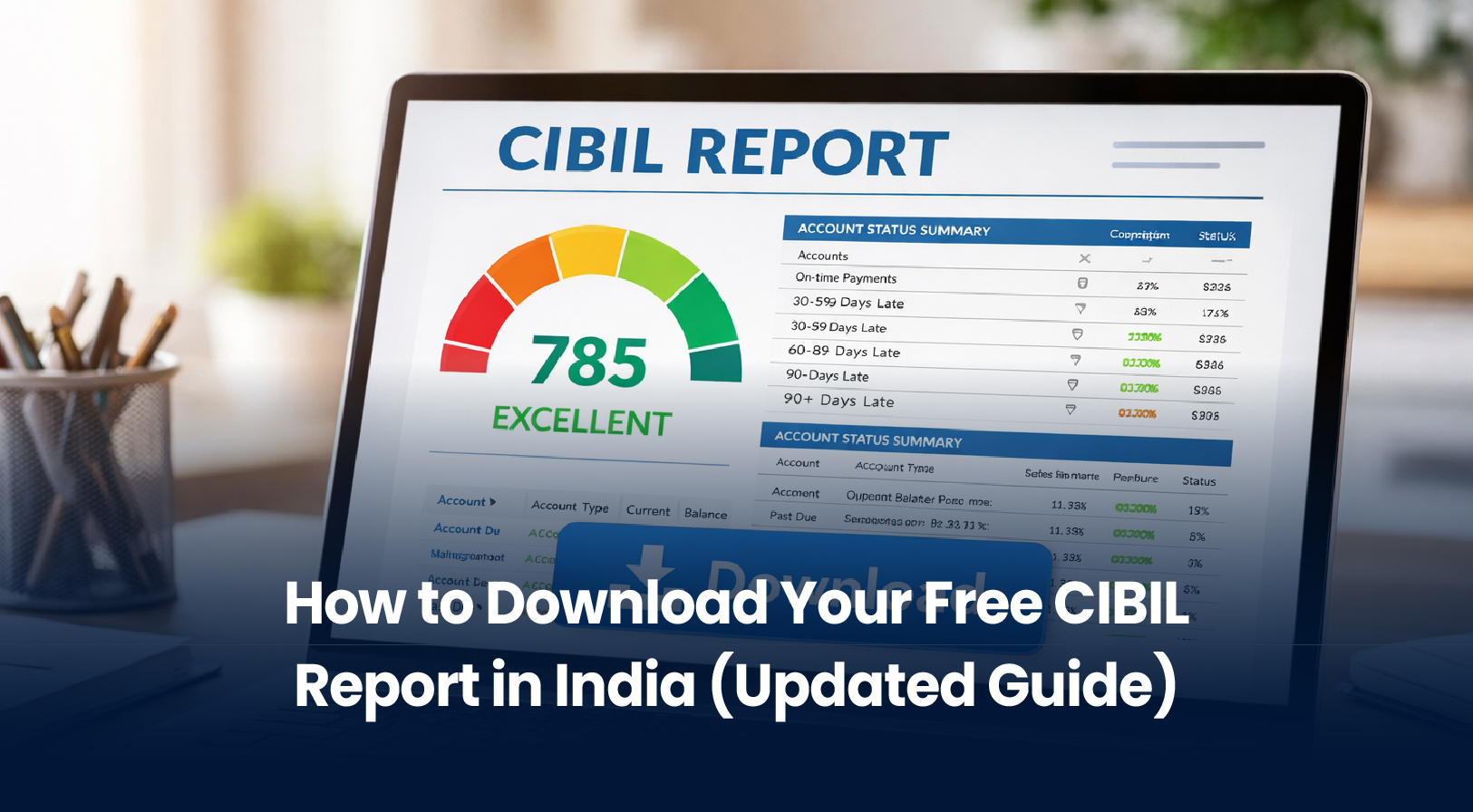
Most Indians with credit history never download their CIBIL report, only their score. This is a missed opportunity. While your CIBIL score is a three-digit summary, your CIBIL report is the complete story behind that number. And here’s the best part: you’re legally entitled to one free CIBIL report every calendar year under RBI guidelines. No catch. No hidden fees.
This guide walks you through two legitimate ways to download it, real error examples to watch for, and exactly what to do once you have it in hand.
What is a CIBIL Report? (And Why It Matters More Than Your Score)
A CIBIL report is a detailed credit history document maintained by TransUnion CIBIL, India’s oldest and most widely used credit bureau. It records every loan, credit card, EMI payment, and lender inquiry linked to your PAN (Permanent Account Number) over the past 36 months.
What Your CIBIL Report Contains
When you open your downloaded PDF, you’ll find these sections:
- Personal Information , Name, date of birth, PAN, address. Banks use this to verify it’s really you.
- Account Summary , A list of all your active and closed credit accounts:
- Home loans, auto loans, personal loans
- Credit card limits and balances
- Lender names and account status
- Real Error Example: A credit card marked “Open” even though you closed it 2 years ago. This inflates your available credit, which seems good but can confuse lenders.
- Repayment History , Payment status for the last 36 months, month by month.
- Shows on-time payments, delays (30/60/90+ days), or missed EMIs
- A single missed payment stays visible for 7 years
- Real Error Example: A payment you made on Jan 10 marked “Overdue” because the lender reported it late on Jan 15. This isn’t your fault but tanks your score until corrected.
- Credit Utilization , For credit cards, how much of your available credit you’re using.
- Using 90% of your limit = high risk signal
- Ideal: Below 30% utilization
- Real Error Example: You paid your credit card to ₹0 balance, but the report shows 85% utilization. The lender’s system hadn’t updated. You fix it by disputing.
- Credit Enquiries , Every time a lender checked your report (the list shows “Verified” vs. “Unverified”).
- Too many inquiries in 3 months signals desperation to borrow
- Self-checks (soft inquiries) don’t count; only lender inquiries do
- Real Error Example: A furniture store ran a credit check for a no-cost EMI scheme, creating an unwanted inquiry. You can dispute this.
- Negative Entries , Defaults, settlements, write-offs, or collection actions.
- A default (90+ days unpaid) is the most serious
- Write-off means the lender gave up; still damages your score
- Real Error Example: A loan you paid off appears as “Default” because the lender didn’t update their records. Dispute immediately.
CIBIL Score vs. CIBIL Report: The Key Difference
Many people confuse these two:

Bottom line: Your score is the headline; your report is the full article. Banks and lenders care about both, but the report is what determines whether they approve your loan and at what interest rate.
Read More: Free Credit Report in India: Complete Step-by-Step Guide
Can You Really Get a Free CIBIL Report? (The RBI Rule)
Yes. Absolutely. This is not a promotional offer, it’s a legal right.
In 2017, the Reserve Bank of India mandated that all credit bureaus in India (CIBIL, Experian, Equifax, CRIF Highmark) provide one free detailed credit report per calendar year to every individual with a credit history.
Two Types of Inquiries: Soft vs. Hard
Here’s a common myth: “Downloading my report will hurt my score.”
This is false. When you check your own report, it triggers a soft inquiry, which has zero impact on your CIBIL score. A soft inquiry is a self-initiated credit check to monitor your own credit health.
Contrast this with a hard inquiry (when a bank checks your report during a loan application). Hard inquiries can temporarily lower your score by 5-10 points because lenders interpret multiple hard inquiries as desperation to borrow.
Only hard inquiries count against you. Soft inquiries, and thus your free annual report download, do not.
Three Ways to Download Your Free CIBIL Report
You have three legitimate options. Choose based on speed, security, and convenience.
Method 1: Direct from TransUnion CIBIL (Official, Safest)
Website: www.cibil.com/freecibilscore
Time to download: 10-15 minutes
Security level: Highest (direct from bureau)
Step-by-Step:
- Visit the official site and click “Get Free CIBIL Score & Report”
- Fill in your details: Full name (as per PAN), PAN number, mobile number, date of birth
- Answer security questions to verify your identity (questions vary: childhood school, pet name, etc.)
- Receive OTP on your registered mobile number; enter the 6-digit code
- Create your CIBIL account (username and password for future logins)
- View and download your report as a password-protected PDF
Important: Your report PDF is locked with a password. CIBIL sends the password to your registered mobile number as a 6-digit code. You cannot access the report without it.
Security Checklist:
- Verify the URL in your browser bar matches exactly:www.cibil.com (not cibel.com, cibl.in, or similar fakes)
- Look for the padlock icon next to the website (indicates encrypted connection)
- Never click links from emails or WhatsApp, always type the page directly
- Save your password in a secure location (password manager); do not share it
- After downloading, log out of your CIBIL account if using a shared device
Method 2: Via CreditMitra (Fast, Integrated)
Try our Credit Score Checker
Time to download: 5-10 minutes
Key feature: Instant loan eligibility check based on your score
CreditMitra partner directly with CIBIL to offer faster downloads. CreditMitra uses verified CIBIL APIs, so your data security is identical to the official site, but the user experience is optimized for speed.
Why choose Us?
- Pre-filled forms (CreditMitra already has your details)
- You receive your CIBIL report + immediate loan eligibility estimate
- Seamless transition: Once you see your score, CreditMitra shows “Based on your score, you may qualify for ₹X loan amount”
- Dashboard: Access your report anytime; no need to re-download monthly
Process: Fill basic info → receive OTP → view report → get loan eligibility → optionally apply for loan within same session.
Spotting Real Errors in Your CIBIL Report
After you download your report, spend 15-20 minutes reviewing it line by line. Errors are more common than you’d think.
Common Errors to Look For
- Closed account still marked “Open” → Increases your debt burden perception
- Paid EMI marked “Overdue” → Lender didn’t update their records in time
- Duplicate accounts → Same loan appears twice due to portfolio transfer
- Name/PAN mismatch → Minor spelling errors can block loan approvals
- Unauthorized inquiry → A furniture store or third party ran a check without consent
- Settled account marked “Default” → Shows the old status, not the settlement
- Incorrect balance → Shows balance owed when it’s actually ₹0
How to Dispute Errors (Step-by-Step)
If you find an error, you have a legal right to dispute it:
- Log into your CIBIL account (using the credentials you created when downloading the report)
- Navigate to “Raise a Dispute” in your account dashboard
- Select the inaccurate entry and describe the error
- Upload supporting documents:
- For incorrect balance: Bank statement showing payment
- For closed account: Closure confirmation letter from bank
- For duplicate account: Loan account documents
- Submit and note the dispute ID (CIBIL provides one)
- Wait 30-45 days while CIBIL contacts your lender to verify
Once verified and corrected, the change appears in your next report update, typically within 1-2 months. Your score often improves after corrections, sometimes by 20-50 points depending on the error’s severity.
After You Download: Your 6-Month Action Plan
Downloading your report is step one. What comes next determines whether it actually improves your financial prospects.
Week 1: Verify & Dispute
- Review all six sections for errors
- Document any discrepancies
- Raise disputes for incorrect entries
- Expected outcome: Initial dispute filed; now wait for lender response
Month 1-2: Monitor Progress
- Dispute resolution is underway
- Make on-time payments on all accounts (every single one)
- Check credit utilization: Aim to keep each card below 30% used
- Track dispute status via CIBIL dashboard
- Expected outcome: Lender provides verification; CIBIL updates record
Month 3-6: Score Recovery
- Maintain perfect payment history
- Once disputes are resolved, your score begins climbing
- Monitor monthly; expect 5-10 point improvement per month (if errors were severe)
- After 2-3 months of clean record: Ready to apply for loans/credit cards
- Expected outcome: Score improves by 20-100 points (depending on corrections made)
After Month 6: Loan Application Time
- If your score is now 700+: Most personal loans approved
- If your score is 750+: Best interest rates available
- When you apply via CreditMitra or your bank, the lender will pull a fresh report
- Use CreditMitra’s loan eligibility tool to estimate your approval odds before applying
- Expected outcome: Loan approval at competitive interest rates
Why Would Anyone Pay for a Free Report? (Scam Prevention)
If a website asks you to pay for your free CIBIL report, it’s 100% a scam.
Red Flags to Avoid
- Website URL is misspelled: cibel.com, cibl.in, cibil.co.in (fake)
- Asks for your credit card details “to verify”: Never
- Promises a “faster” report by paying ₹99: Nonsense; official download is instant
- Email asking you to click a link to “activate” free report: Phishing
- Promises to improve your score instantly: Impossible and illegal
- Asks for your bank account password: Red alert
The Real Official URL
Only one:www.cibil.com/freecibilscore
If you accidentally entered your PAN or phone number on a fake site:
- Do not proceed further
- Report it to CIBIL (contact@cibil.com)
- Monitor your credit for unauthorized inquiries (check your real CIBIL report monthly)
FAQ: Questions You Might Have
Q: Does checking my CIBIL report hurt my score?
A: No. A soft inquiry (self-check) has zero impact. Only hard inquiries (from lenders) temporarily lower your score.
Q: How long does the download take?
A: 5-15 minutes once you complete identity verification via OTP.
Q: What if I don’t see a report (blank page)?
A: You likely have no credit history. CIBIL only creates reports for people with active or recent credit products (loan or credit card in the past 36 months).
Q: Can I download more than one free report per year?
A: No. RBI mandates one free report per calendar year. After that, additional downloads cost money (₹100-500 depending on frequency options).
Q: Is it safe to share my report with lenders?
A: Yes, share only with verified lenders through their official portals or CreditMitra. Never email it unsolicited or share via WhatsApp.
Q: How often should I check my report?
A: At least once every 6 months. Quarterly checks are even better for early fraud detection.
Next Steps: Take Control of Your Credit
Your CIBIL report is a financial resume that follows you for 7 years. Downloading and reviewing it isn’t optional, it’s essential.
Your credit health shapes your financial future. Take the first step today. Download your free CIBIL report right now.
About the Author

Divya Kumari
SEO Strategist & Finance WriterDivya Kumari is an SEO & Content Strategist with experience in organic traffic growth, topical authority building, and content-led SEO strategies. She specializes in creating user-focused content for finance and SaaS websites, helping brands improve visibility through structured content planning, internal linking, and search optimization techniques.
Borrow. Protect. Grow.
All in one app.
- Compare loan offers
- Buy insurance in minutes
- Invest in mutual funds
- Check credit score free
- Track all your applications


Explore More Articles

What to Do When Your Travel Budget Falls Short

How to Finance Your Dream Vacation Responsibly
On this page
- What is a CIBIL Report? (And Why It Matters More Than Your Score)
- CIBIL Score vs. CIBIL Report: The Key Difference
- Can You Really Get a Free CIBIL Report? (The RBI Rule)
- Three Ways to Download Your Free CIBIL Report
- Spotting Real Errors in Your CIBIL Report
- After You Download: Your 6-Month Action Plan
- Why Would Anyone Pay for a Free Report? (Scam Prevention)
- FAQ: Questions You Might Have
- Next Steps: Take Control of Your Credit
About the Author
Divya Kumari
SEO Strategist & Finance WriterDivya Kumari is an SEO & Content Strategist with experience in organic traffic growth, topical authority building, and content-led SEO strategies. She specializes in creating user-focused content for finance and SaaS websites, helping brands improve visibility through structured content planning, internal linking, and search optimization techniques.
Borrow. Protect. Grow.
All in one app.
- Compare loan offers
- Buy insurance in minutes
- Invest in mutual funds
- Check credit score free
- Track all your applications