Indian Bank Balance Check: Complete Guide to All Methods (2026)
Want to check your Indian Bank account balance instantly? Find the latest Indian Bank balance check number, missed call banking number, SMS balance enquiry service, toll-free helpline, WhatsApp banking, and online methods to check your account balance quickly and securely from anywhere.

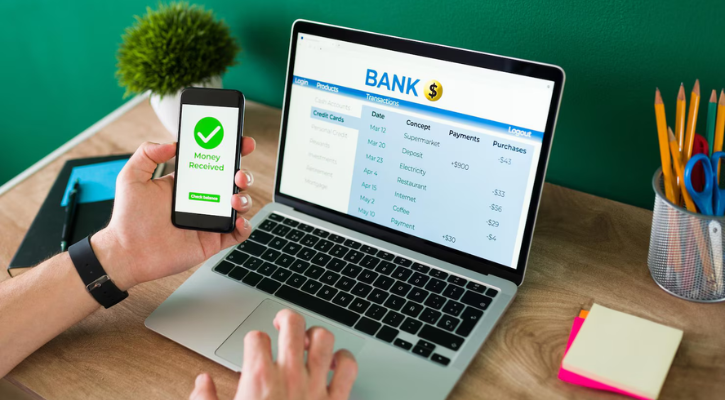
Managing your finances starts with knowing your current balance. Whether you’re about to make a purchase, planning your budget, or checking for unauthorized transactions, Indian Bank provides multiple convenient ways to check your account balance anytime, anywhere. This comprehensive guide walks you through every verified method available to 4.5+ million Indian Bank customers.
Quick Reference: Indian Bank Balance Check Numbers (2026)
| Method | Number/Code | Speed | Internet Required |
| Toll-Free | 1800 4250 0000 | 2-5 min | No |
| Missed Call | 9677633000 | 30 sec | No |
| SMS | 9444394443 | 30 sec-2 min | No |
| 8754424242 | 1-2 min | Yes | |
| USSD Code | 9958# | 30 sec | No |
| Mobile App | IndOASIS | 30 sec | Yes |
| Net Banking | indianbank.in | 1-2 min | Yes |
| UPI Apps | Google Pay, PhonePe | 30 sec | Yes |
| ATM | Any ATM | 2-3 min | No |
| Branch Visit | Nearest branch | 10-30 min | No |
The 10 Best Methods to Check Your Indian Bank Balance
Method 1: Missed Call Service (Fastest – 30 Seconds)
The missed call service is the fastest and simplest way to check your balance.
How it works:
- Dial 9677633000 from your registered mobile number
- Let the call disconnect automatically (after 1-2 rings)
- Within 30 seconds to 2 minutes, you’ll receive an SMS with your balance
Why use it:
- Fastest method (10-30 seconds)
- No internet needed
- Completely free (no missed call charges)
- Works 24/7, including holidays
- Perfect for quick verification before shopping
Requirements:
- Your mobile number must be registered with Indian Bank
- SMS connectivity (balance comes via SMS)
Best for: Urgent balance checks, users without internet, rural areas, senior citizens
Method 2: SMS Banking (Secure – Requires MPIN)
Balance through SMS offers maximum security with MPIN authentication.
How it works:
- Send an SMS in this format: BALAVL [Account Number] [MPIN]
- Example: BALAVL 12345678901 1234 (where 1234 is your MPIN)
- Send to: 9444394443
- Receive balance details via SMS within 1-2 minutes
Why use it:
- Highly secure (MPIN required)
- No internet needed
- Works on all mobile phones
- Generates SMS trail for reference
Requirements:
- MPIN registered with SMS banking service
- Register at bank branch if not already done
- Standard SMS charges apply (based on your telecom plan)
Best for: Security-conscious users, those without smartphones, offline balance verification
Method 3: Toll-Free Customer Care (Comprehensive – 2-5 Minutes)
Speak directly with Indian Bank customer service executives for detailed assistance.
How it works:
- Dial 1800 4250 0000 from your registered number
- Select your preferred language (Hindi, English, regional)
- Listen to the automated voice or connect with a customer service executive
- Provide your account number and customer ID
- Receive your balance information
Why use it:
- Speak to real person (not automated)
- Get clarification on transactions
- Address complex account issues
- Lodge complaints if needed
- Verify pending transactions
Requirements:
- Voice connectivity only
- No internet needed
- Account details (number, customer ID) helpful
Best for: Detailed inquiries, transaction verification, complex account issues, elderly customers requiring human interaction
Method 4: WhatsApp Banking (Most Convenient – 1-2 Minutes)
Modern, chat-based balance inquiry through the messaging app you already use.
How it works:
- Save the number 8754424242 in your contacts
- Send “Hi” from your registered WhatsApp number
- You’ll receive a menu of services
- Reply with “1” for balance inquiry
- Get your current balance instantly
Why use it:
- Familiar chat interface
- Conversation-based (feels natural)
- Available 24/7
- OTP verification adds security
- Chat history saved for reference
Requirements:
- Smartphone with WhatsApp
- Internet connectivity (Wi-Fi or data)
- WhatsApp number registered with your bank account
Best for: Smartphone users, those preferring chat interfaces, regular banking inquiries, younger demographics
Method 5: USSD Code (No Smartphone Needed – 30 Seconds)
Works on basic mobile phones without internet, perfect for rural areas.
How it works:
- Pick any phone (smartphone or basic phone)
- Dial: *99*58# (then press call)
- Follow the menu instructions
- Receive balance details on screen and via SMS
Why use it:
- Works on basic phones (no smartphone needed)
- No internet required
- No data charges
- Completely free
- Fastest for non-internet users
- Works everywhere (even low signal areas)
Requirements:
- Any phone with call capability
- Mobile number registered with Indian Bank
- No internet or data connection needed
Best for: Rural users, senior citizens with basic phones, areas with poor internet, cost-conscious users
Method 6: Mobile Banking App (Most Features – 30 Seconds)
Download Indian Bank’s official app for comprehensive account management.
How it works:
- Download IndOASIS app (Google Play or App Store)
- Log in with your account credentials
- On the dashboard, select “My Account” or “Balance”
- View your current balance, transactions, and mini statement
Why use it:
- Real-time balance and transaction details
- View transaction history
- Fund transfers available
- Check interest earned
- Manage standing instructions
Requirements:
- Smartphone with Android or iOS
- Internet connectivity
- Account credentials
- MPIN for full security
Best for: Regular banking, tech-savvy users, those needing detailed account information, fund transfers
Method 7: Net Banking Portal (Comprehensive Checking – 1-2 Minutes)
Full online banking through Indian Bank’s website.
How it works:
- Visit www.indianbank.in
- Click “Login for Net Banking”
- Enter User ID and password
- View balance, transactions, statement
- Perform additional banking functions
Why use it:
- Access full account details
- Download statements
- Fund transfers and payments
- View FD/RD details
- Advanced features available
Requirements:
- Computer or smartphone
- Internet connection
- Net banking credentials
- OTP verification
Best for: Detailed account review, statement downloads, fund transfers, comprehensive banking
Method 8: UPI Apps (Integrated Checking – 30 Seconds)
Check balance while using payment apps you already have.
How it works:
- Open your UPI app (Google Pay, PhonePe, BHIM, etc.)
- Go to “Check Balance” or “Account” section
- Select your Indian Bank account
- Enter UPI PIN
- Balance displays instantly
Why use it:
- Already on your phone
- Integrated with payment experience
- No separate app installation
- Instant verification before transactions
- Works 24/7
Requirements:
- UPI app with Indian Bank linked
- Internet connection
- UPI PIN
Best for: Digital payment users, checking balance before transaction, modern banking approach
Method 9: ATM Withdrawal (With Physical Verification – 2-3 Minutes)
Check the balance while at the ATM or withdraw cash.
How it works:
- Insert debit card into any ATM
- Enter your PIN
- Select “Balance Inquiry” option
- View balance on screen
- Optionally withdraw cash
Why use it:
- No phone/internet needed
- Physical document (receipt available)
- Simultaneous cash withdrawal
- Accessible nationwide
Requirements:
- Debit card
- Nearby ATM
- PIN knowledge
Best for: Users without phones, offline areas, simultaneous cash needs
Method 10: Visit Your Bank Branch (Personal Touch – 10-30 Minutes)
Traditional but most thorough method with complete transaction review.
How it works:
- Visit nearest Indian Bank branch during business hours
- Request balance inquiry from counter staff
- Provide account number and ID proof
- Or update your passbook at passbook vending machine
- View balance and all transactions
Why use it:
- Personal assistance
- Complete transaction review
- Address complex issues
- Physical document updated
- Account-related queries resolved
Requirements:
- Branch location nearby
- Photo ID proof
- Account details
Best for: Elderly customers, complex issues, statement needs, personal interaction preference
Which Method Should YOU Choose?
Choose Missed Call if: You need balance in 30 seconds, no internet, immediate verification
Choose USSD Code if: You have a basic phone, no internet, in rural area
Choose Mobile App if: You want detailed transactions, regular checking, feature-rich experience
Choose WhatsApp if: You prefer chat interface, use WhatsApp regularly, smartphone user
Choose SMS if: You want security (MPIN), no internet needed, offline balance check
Choose ATM if: You need cash anyway, offline verification, simultaneous withdrawal
Choose Branch Visit if: You need detailed review, elderly preference, complex queries
Troubleshooting: What If It Doesn’t Work?
Problem: SMS Balance Not Received
1: Mobile number not registered with bank
- Solution: Visit branch or log into net banking to register your mobile
- Time: Usually instant registration
2: Wrong phone number
- Solution: Verify number from official Indian Bank website (current: 9444394443)
- Prevention: Save official numbers in your phone
3: Network issues
- Solution: Retry after 5 minutes; check mobile signal
- Alternative: Use different method (missed call, toll-free)
Problem: Balance Showing Incorrect Amount
1: Pending transactions (most common)
- Solution: Wait 4-24 hours for processing; check mini statement
- Timeline: Transfers instant, checks 1-3 days, standing orders as per schedule
2: Recent ATM withdrawal not updated
- Solution: Wait 5 minutes and retry; information updates continuously
3: Automatic payments processed
- Solution: Check standing instructions, EMI schedules, insurance payments
Problem: Can’t Remember Your Account Number
Solution 1: Check debit card (11-digit number on front) Solution 2: Check passbook (printed on first page) Solution 3: Check old checks (bottom left corner) Solution 4: Call toll-free: 1800 4250 0000 (verify with Name + DOB)
Problem: Mobile Not Registered with Bank
How to register:
- Visit nearest Indian Bank branch with ID proof
- Provide current mobile number
- Complete registration form
- Instant activation (usually)
- Start using all mobile banking services
Security Tips: Check Your Balance Safely
Safety Rule #1: Never share your MPIN, OTP, or account number
Safety Rule #2: Always verify numbers on official Indian Bank website (indianbank.in)
Safety Rule #3: Real Indian Bank never asks for password via SMS/call
Safety Rule #4: Be suspicious of unsolicited balance inquiries
Safety Rule #5: If in doubt, call official toll-free: 1800 4250 0000
Red Flags – Likely Fraud:
- Caller asking for password
- SMS from unknown number offering “balance adjustment”
- Link asking to download “new banking app”
- Message claiming “security update verification”
- Unsolicited offers to unlock “hidden account balance”
If Suspicious Activity:
- Don’t click links or provide information
- Block the number immediately
- Call official customer care: 1800 4250 0000
- File complaint with Indian Bank Cybercrime Portal
- Consider blocking your card if balance looks wrong
Read More: How to Get a Personal Loan Approved Fast in India
After Checking Your Balance: Smart Financial Moves
Once you’ve reviewed your balance, here’s what to consider:
If Balance Is Low
- Review recent transactions for unauthorized activity
- Plan to increase savings/income
- Consider personal loan if emergency funds needed
- Explore CreditMitra’s quick personal loan options (approval in 24 hours)
If Balance Is Healthy
- Allocate funds for upcoming expenses
- Consider emergency fund (3-6 months of expenses)
- Explore fixed deposits for surplus funds
- Review insurance coverage needs
- Check CreditMitra’s wealth management options
Regularly Review Your Balance
- Check once a week for budget tracking
- Verify major transactions immediately
- Monitor recurring charges (subscriptions, insurance)
- Spot fraudulent activity early
- Maintain healthy financial discipline
Common Questions About Indian Bank Balance Check
Q: Is checking balance free?
A: Yes, completely free (except standard SMS rates for SMS banking method).
Q: Can I check balance unlimited times?
A: Yes, no daily limits. Check as often as needed for financial management.
Q: Does checking balance affect my credit score?
A: No. Balance inquiry doesn’t impact credit score or account status.
Q: Is online balance check secure?
A: Yes, when using official numbers/apps and following security protocols.
Q: What if I check the balance and find fraud?
A: Call 1800 4250 0000 immediately; block card; file cybercrime complaint.
Final Thoughts
Checking your Indian Bank balance is quick, easy, and absolutely free. With 10+ verified methods available, you can choose the one that suits your situation best, whether you need speed, security, or simplicity.
Remember: Regular balance checking is a healthy financial habit. It helps you track spending, prevent fraud, and maintain financial discipline.
Start with the missed call method (fastest), and explore other options based on your preference. No matter which method you choose, your balance information is just seconds away.
About the Author

Divya Kumari
SEO Strategist & Finance WriterDivya Kumari is an SEO & Content Strategist with experience in organic traffic growth, topical authority building, and content-led SEO strategies. She specializes in creating user-focused content for finance and SaaS websites, helping brands improve visibility through structured content planning, internal linking, and search optimization techniques.
Borrow. Protect. Grow.
All in one app.
- Compare loan offers
- Buy insurance in minutes
- Invest in mutual funds
- Check credit score free
- Track all your applications


Explore More Articles

What to Do When Your Travel Budget Falls Short

How to Finance Your Dream Vacation Responsibly
On this page
- Quick Reference: Indian Bank Balance Check Numbers (2026)
- The 10 Best Methods to Check Your Indian Bank Balance
- Which Method Should YOU Choose?
- Troubleshooting: What If It Doesn't Work?
- Security Tips: Check Your Balance Safely
- After Checking Your Balance: Smart Financial Moves
- Common Questions About Indian Bank Balance Check
- Final Thoughts
About the Author
Divya Kumari
SEO Strategist & Finance WriterDivya Kumari is an SEO & Content Strategist with experience in organic traffic growth, topical authority building, and content-led SEO strategies. She specializes in creating user-focused content for finance and SaaS websites, helping brands improve visibility through structured content planning, internal linking, and search optimization techniques.
Borrow. Protect. Grow.
All in one app.
- Compare loan offers
- Buy insurance in minutes
- Invest in mutual funds
- Check credit score free
- Track all your applications